Outside agent · Command line (CLI)
A text-mask opener, built from the command line.
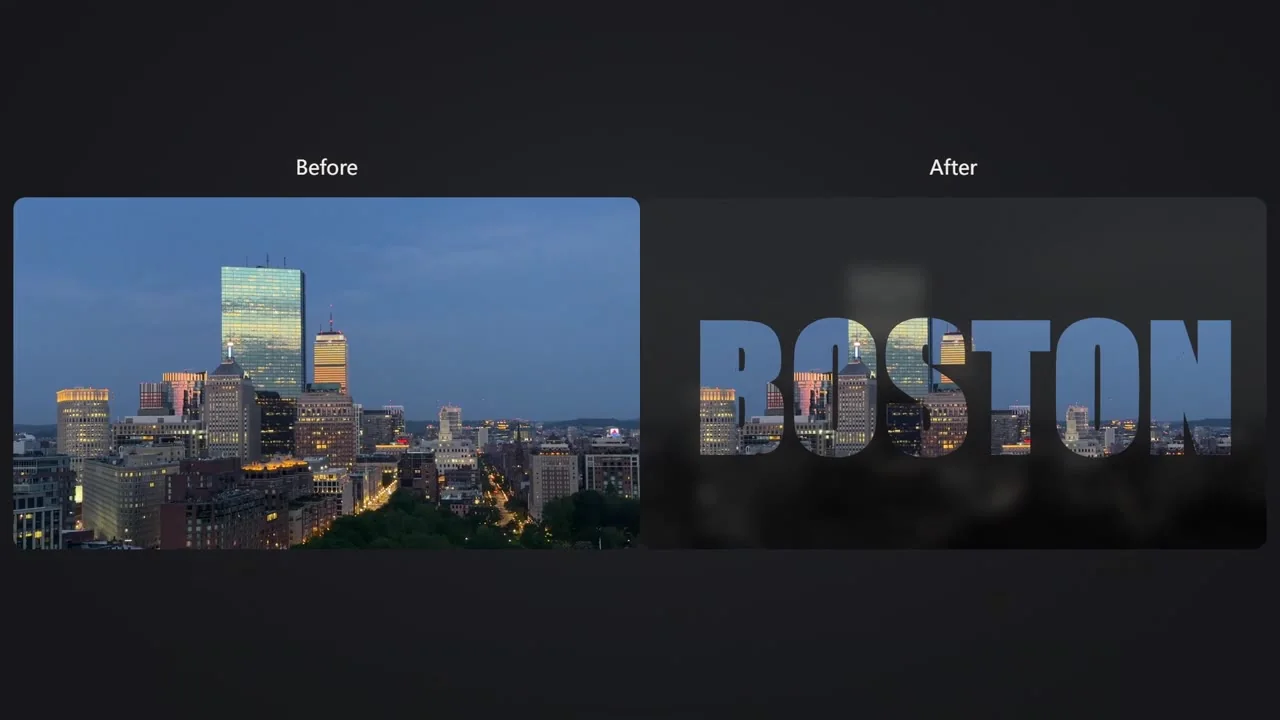
No MCP server required. Using PandaCut's panda-director command line directly from PowerShell, an external agent builds a multi-track text-mask title opener where full-color Boston glides inside giant letters.
- Driven by
- External agent (GPT) via panda-director CLI
- Result
- Terminal-only multi-track blur, grade & text-mask opener
- Demo length
- 23.1 s demo
- Platform
- Windows 10/11 · x64 · v0.9.1
What happens on the timeline
Classic travel and documentary openers often duplicate a hero clip onto two stacked tracks: the bottom track is darkened and blurred into a moody backdrop, while the top full-color copy is clipped through a giant text mask.
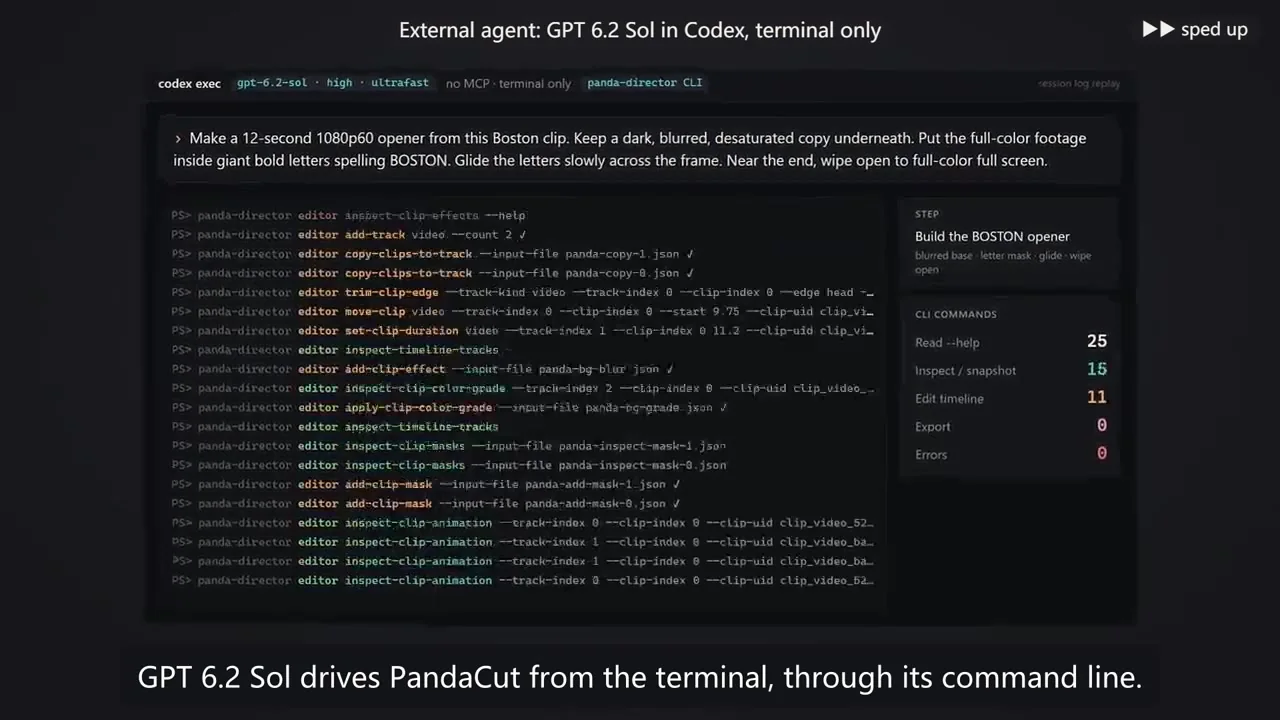
Here, an outside agent (GPT) executes real panda-director CLI commands straight from a Windows terminal: adding video tracks, copying the footage onto synchronized layers, attaching a background blur and dark color grade to the lower layer, and applying a text mask to reveal vivid footage inside giant letters.
Every CLI call updates the live PandaCut desktop project under the same approval and undo stack — so developers and scripts can automate repeatable intros, titles, and batch layouts while editors still refine the result visually.
Real CLI commands from the Boston text-mask opener
Executed directly against PandaCut from the terminal using panda-director (no MCP):
# Terminal-only control, no MCP
PS> panda-director editor add-track video --count 2
PS> panda-director editor copy-clips-to-track --input-file copy.json
PS> panda-director editor add-clip-effect --input-file bg-blur.json
PS> panda-director editor apply-clip-color-grade --input-file bg-grade.json
PS> panda-director editor add-clip-mask --input-file text-mask.json
Capabilities used in this edit
- panda-director CLI and local HTTP API for terminal and script automation without MCP
- Multi-track clip duplication, background blur effects, and per-clip color grading
- Built-in masks: text, rectangle, star, heart, polygon, pen, and brush masks
- Same Confirm/Auto approval guardrails and one-step undo as the in-app agent
Video transcript
Spoken captions burned into the demo clip:
- 00:03
- GPT 6.2 Sol drives PandaCut from the terminal, through its command line.
- 00:13
- Full-color Boston glides inside giant letters, over a dark, blurred city.
- 00:20
- A text-mask opener, built by an agent.
Honest status & requirements: PandaCut is a pre-release Windows 10/11 (x64) desktop application (current version 0.9.1; 1.0.0 will be the public launch). NVIDIA GPU recommended; AMD and Intel support is in progress.
Try PandaCut ahead of 1.0.0
Join the early access list if you edit on Windows with an NVIDIA GPU, or browse all demo films made with the product.