Outside agent · Model Context Protocol (MCP)
3D camera tracking, driven over MCP.
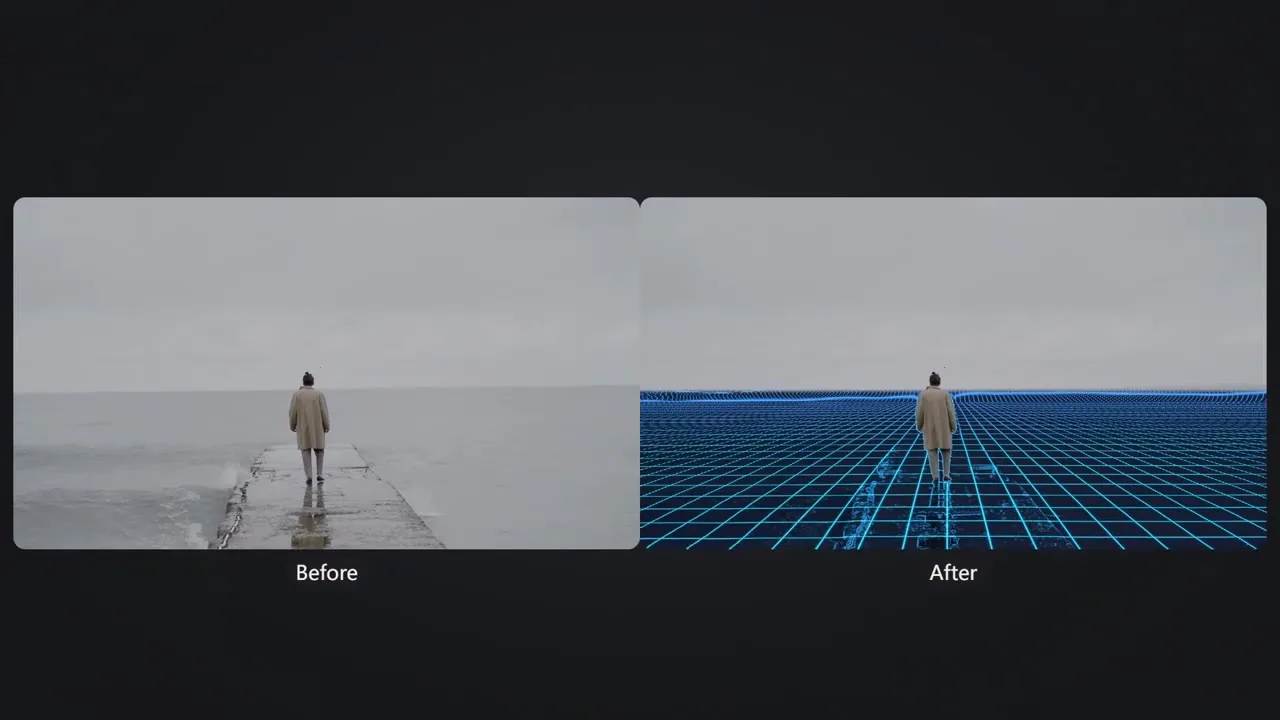
PandaCut ships with a local STDIO MCP server (panda-director-mcp). From a single request, an external AI agent solves the 3D camera on a handheld walk and locks floor graphics onto the path.
- Driven by
- External agent (Gemini) via panda-director-mcp
- Result
- Planar track → 3D camera solve → locked floor planes
- Demo length
- 23.1 s demo
- Platform
- Windows 10/11 · x64 · v0.9.1
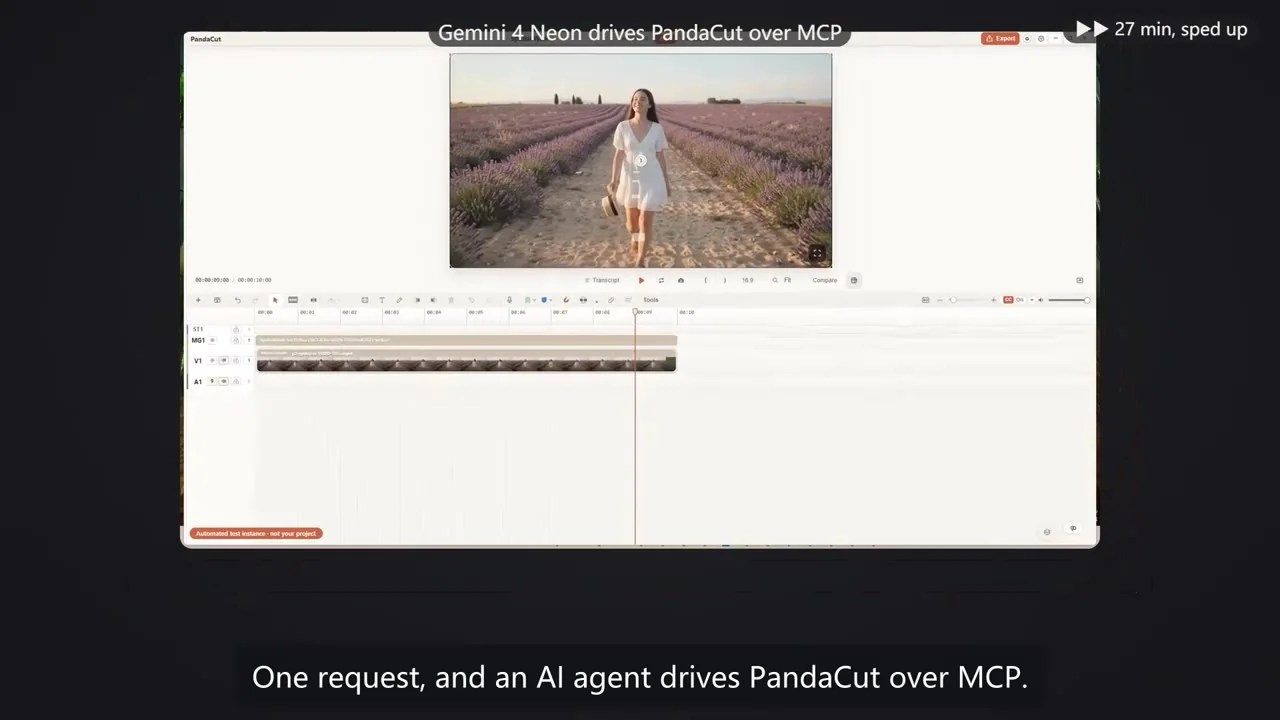
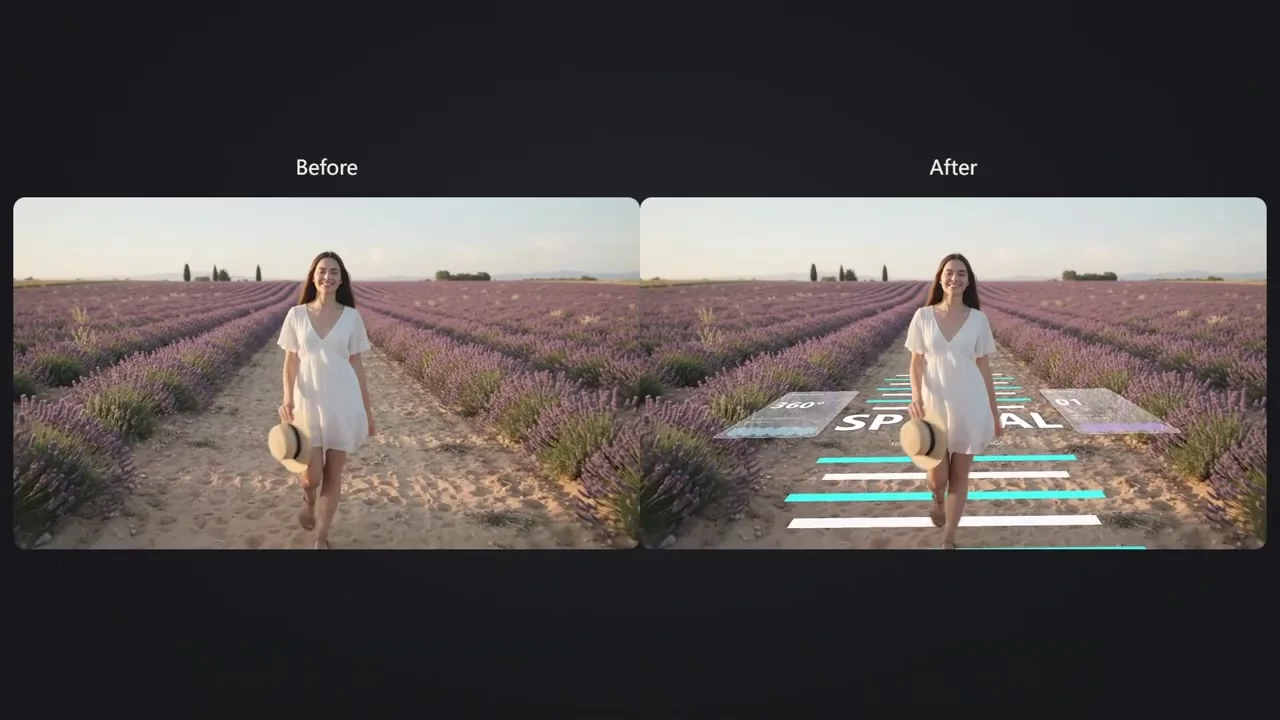
What happens on the timeline
Placing graphics flat on a real ground surface in moving footage requires planar tracking and a 3D camera solve so perspective shifts naturally with every step of the camera.
In this demo, an outside agent (Gemini) connects directly to PandaCut's local STDIO MCP server, analyzes the path in the lavender field footage, solves the camera, and places multiple 3D planes — glowing bars, floor cards, and the giant SPATIAL title — flat on the ground so they stay glued to the path as the subject walks forward.
External MCP agents never bypass the editor: every tool call goes through PandaCut's Confirm or Auto approval mode, records an Operation trail on the real timeline, and supports one-step undo.
How an external agent drives PandaCut over MCP
External MCP clients connect locally to panda-director-mcp and operate the same timeline actions you use by hand:
External agent   Claude Code · Codex · Gemini CLI · your script
      ↓
Local interface  panda-director-mcp (local STDIO)
      ↓
Approval         Confirm mode / Auto mode · paid actions ask first
      ↓
Real timeline    Planar track → 3D camera solve → 3D scene planes → one-step undo
Capabilities used in this edit
- Planar tracking and 3D camera solve to place 3D scene planes inside real moving footage
- Local STDIO MCP server (panda-director-mcp) with structured tool outputs and safety annotations
- Compatible with external agents such as Claude Code, Codex, and Gemini CLI
- Shared approval guardrails, Operation trail visibility, and full manual refinement on the timeline
Video transcript
Spoken captions burned into the demo clip:
- 00:04
- One request, and an AI agent drives PandaCut over MCP.
- 00:15
- The camera is solved, and every graphic stays glued to the path.
- 00:21
- Camera tracking, over MCP.
Honest status & requirements: PandaCut is a pre-release Windows 10/11 (x64) desktop application (current version 0.9.1; 1.0.0 will be the public launch). NVIDIA GPU recommended; AMD and Intel support is in progress.
Try PandaCut ahead of 1.0.0
Join the early access list if you edit on Windows with an NVIDIA GPU, or browse all demo films made with the product.