Outside agent · Color grading over MCP
Shot matching across six cameras, by an agent.
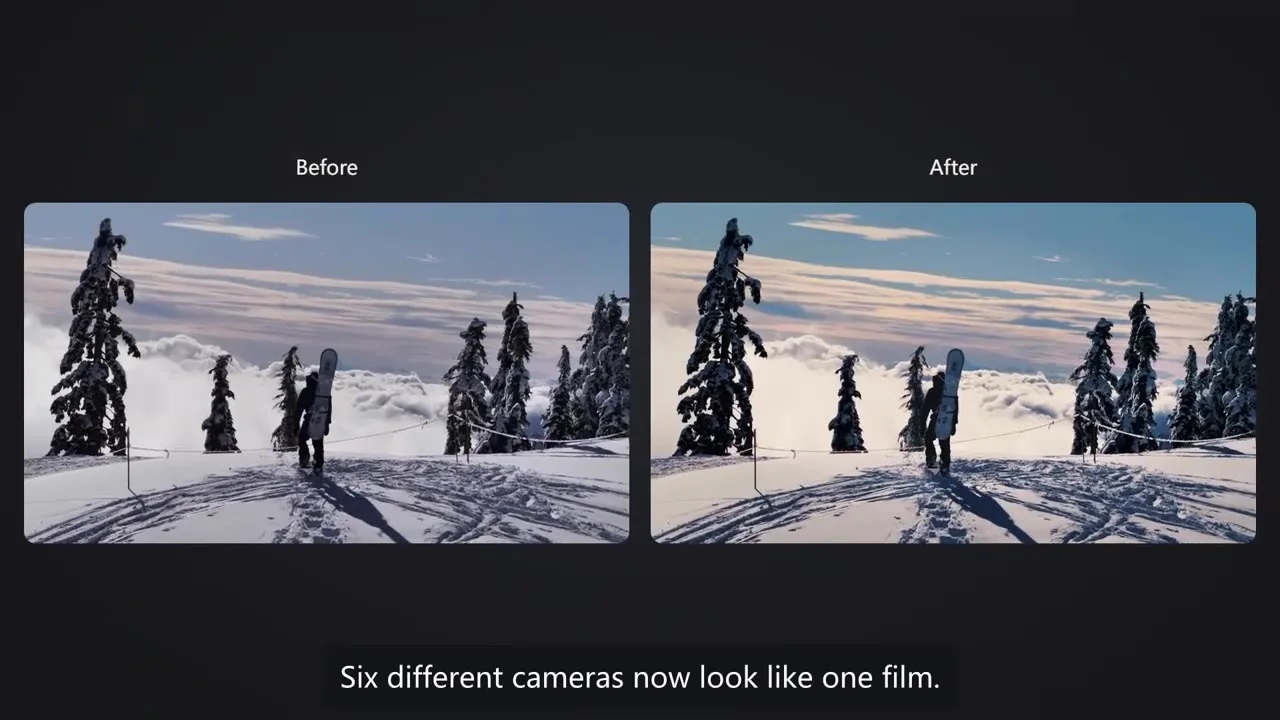
Mixing footage from six different cameras leaves obvious jumps in exposure, contrast, and white balance. Here, an external AI agent drives PandaCut's layered grading tools to unify all six shots into one look.
- Driven by
- External agent (Gemini) via MCP
- Result
- 6 clips from 6 different cameras → 1 cohesive look
- Demo length
- 23.1 s demo
- Platform
- Windows 10/11 · x64 · v0.9.1
What happens on the timeline
When a sequence pulls shots from different lenses, sensors, or lighting conditions, matching them by eye takes painstaking round-trips across scopes, primaries, and secondary qualifiers.
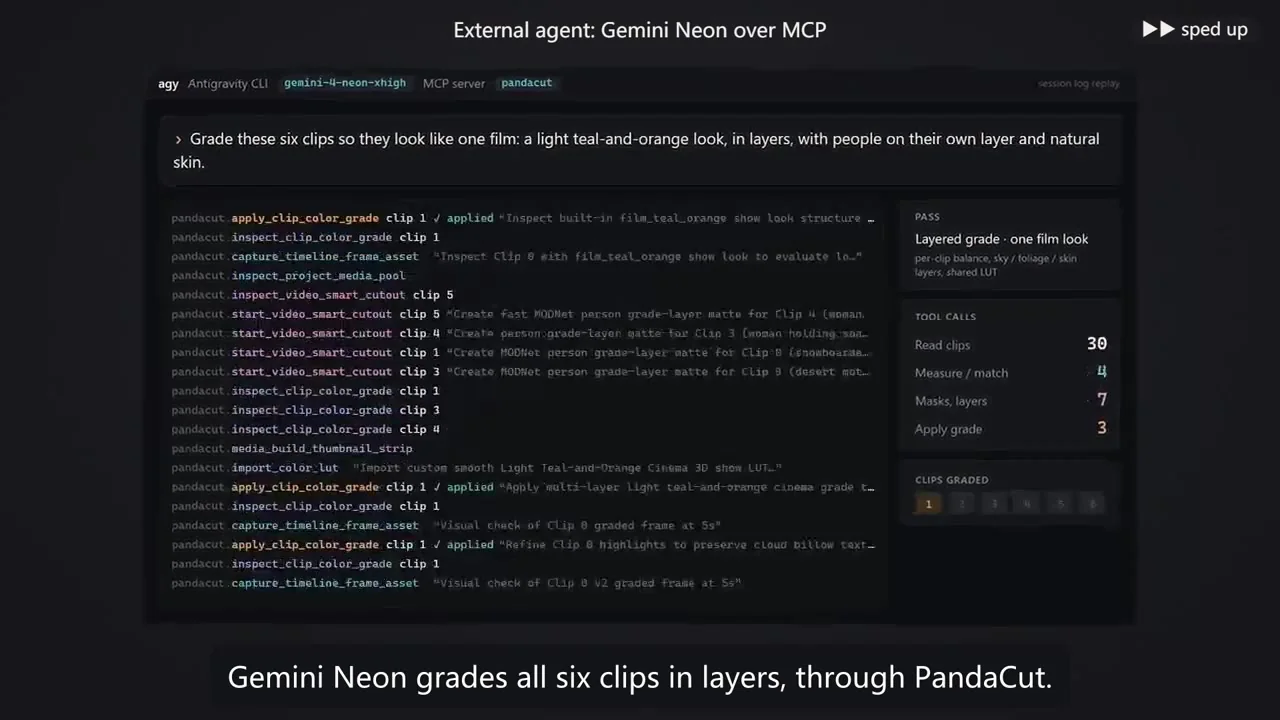
In this demo, an external agent (Gemini) works through PandaCut's grading tools to inspect each clip and apply layered primary and secondary adjustments across all six clips until color temperature, skin tones, and contrast sit together like one film.
Because PandaCut runs native GPU preview and export on the same engine — with real scopes, .cube LUT import, and HSL qualifiers — what you see paused on the timeline is what exports, and you can nudge any individual clip's grade by hand.
MCP-driven color grading workflow
External agents inspect frames and apply non-destructive color grades directly to timeline clips:
External agent   Gemini over panda-director-mcp
      ↓
Inspect & plan   Frame snapshots + per-clip grade analysis across 6 clips
      ↓
Apply grades     Layered primary & secondary color grades on each timeline clip
      ↓
Verify & tweak   Same-engine GPU preview · scopes · manual fine-tuning & undo
Capabilities used in this edit
- Primary and secondary color grading, HSL qualifiers, scopes, and .cube LUT import
- Match a clip to a reference frame or harmonize many clips to one unified look
- Secondary grades that can follow a person cutout mask
- Detail tools (sharpen, denoise, clarity, dehaze) and HDR export (PQ / HLG)
Video transcript
Spoken captions burned into the demo clip:
- 00:03
- Gemini Neon grades all six clips in layers, through PandaCut.
- 00:13
- Six different cameras now look like one film.
- 00:20
- Shot matching across clips, done by an agent.
Honest status & requirements: PandaCut is a pre-release Windows 10/11 (x64) desktop application (current version 0.9.1; 1.0.0 will be the public launch). NVIDIA GPU recommended; AMD and Intel support is in progress.
Try PandaCut ahead of 1.0.0
Join the early access list if you edit on Windows with an NVIDIA GPU, or browse all demo films made with the product.